

Close Menu
    Quick Access
    • Bigg-Boss
    • Entertainment
    • High Life
    • Infotainment
    • News
      • Business
      • Sports
      • Technology
    • News Wire
    • Photo Gallery
    • Stars-Wiki
    • Trending
    • World
    Facebook X (Twitter) Instagram
    • About
    • Contribute
    • Intern
    • Advertise
    • Download the App
    • Contact Us
    Facebook X (Twitter) Pinterest
    PagalParrotPagalParrot
    • Entertainment
    • Infotainment
    • News
      • Sports
      • Business
      • Technology
      • World
    • High Life
    • Trending
    PagalParrotPagalParrot
    Home»News»Technology»How To Get Live Wallpapers For Windows 11
    Technology

    How To Get Live Wallpapers For Windows 11

    ShavvyBy ShavvyNovember 30, 20213 Mins Read
    Share Facebook Twitter Pinterest LinkedIn Tumblr Reddit Telegram Email
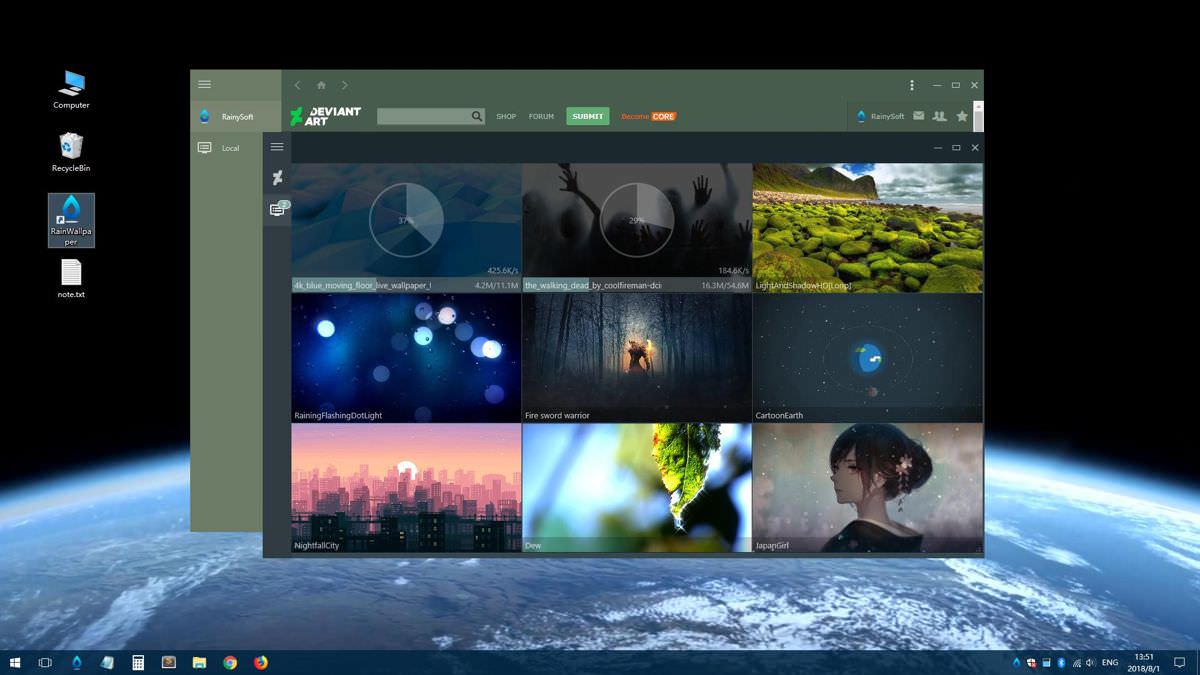
    live wallpapers for Windows 11
    Share
    Facebook Twitter LinkedIn Pinterest Email
    Table of Contents
    • 1 What are live wallpapers?
    • 2 Live wallpaper and how it works
    • 3 Where to get live wallpapers for Windows 11

    If a static background image for your Windows desktop is too boring for you, you can spice up your operating system with something called live wallpapers. In this guide, we will explain what it is exactly and how to install these animated backgrounds on Windows 11.
    What are live wallpapers?

    The difference between traditional wallpapers in Windows 11 and live wallpapers is obvious. While the good old-fashioned wallpaper is just a static image, live wallpapers are motion graphics and sequences.

    There are those which are played simply like a video and are therefore above all beautiful to watch. Others, on the other hand, have a little more programming finesse and react, for example, to the way you move your mouse. Then maybe a color gradient or something similar changes.

    But beware: before installing any pretty or awesome live wallpapers, as we’ll explain in a moment, it should be noted that animated backgrounds require more performance from the computer. This is less of a problem with high-end gaming PCs. However, entry-level PCs or laptops might – depending on what additional programs are running – sweat a bit.

    Live wallpaper and how it works

    If you still want to try live wallpapers, you will need additional software in Windows 11, as the Microsoft operating system does not inherently support animated backgrounds.

    However, there are a number of programs from different vendors on the Internet and in the Microsoft Store. However, since most of them are not free or only allow a trial period, we recommend the program called Lively Wallpaper. This is available for free in the Microsoft Store and can be installed in no time.

    Then it comes with a handful of live wallpapers and can be easily extended with new live backgrounds.

    Other vendors offer software such as DeskScapes or Wallpaper Engine, which are also great for live wallpapers. However, the two variants aren’t free – although a price tag of around 4-5$ is probably not a deterrent.

    Where to get live wallpapers for Windows 11

    Nevertheless, we are focusing on Live Wallpaper as a free entry into the world of live wallpapers. You can choose one of the 12 preinstalled animated backgrounds and the program immediately displays the selected design on the desktop. With a right click on the selected live wallpaper, you access the “Personalize” menu item, where everything can be adjusted, whether in color, speed of animations, etc.

    New or additional live wallpapers can be easily added by clicking on the plus symbol in the bar on the left. Two options are available: The Browse button, with which you can insert downloaded live wallpapers, videos, etc. And a field for an internet address where YouTube videos can be converted to live wallpapers.

    If you want to choose the download option, just follow the “More wallpapers” link. This leads to the program’s community page on the Reddit platform, where hard-working users provide all kinds of cool backgrounds. There the live wallpaper fans also discuss the issues that may arise with the live wallpaper program.


    Share. Facebook Twitter Pinterest LinkedIn Tumblr Email
    Previous ArticleNew Spider-Man: No Way Home Footage Comes As Tickets Go On Sale
    Next Article Money Heist Season 5 Volume 2: Release Date On Netflix
    Shavvy
    Shavvy
    • Facebook
    • Instagram

    A creative writer with strong zest of blogging, traveling, food and wander.

    Next Up For You

    Technology

    Toyow's $TTN Token Lists on CoinDCX, Strengthening India's Position in the Global RWA Economy

    December 12, 2025
    Technology

    CoinDCX Introduces 'Earn' Feature on USDD, Up to 8% APR for Indian Crypto Investors

    December 11, 2025
    Technology

    ZebPay Marks 11 Years of Leading Bitcoin Investments in India; Unveils New Brand Identity

    December 6, 2025
    Technology

    CoinSwitch Releases India's First Comprehensive VDA Handbook for Police and LEAs

    December 6, 2025
    Technology

    CoinEx Charity and Seerakku Lead 2,000 Palm Seeds Plantation in Ambattur Lake

    December 6, 2025
    Technology

    CoinSwitch Becomes India's First Crypto Platform to Cross 2.5 Crore Users

    December 6, 2025
    More Reads

    One Plan, Two Benefits: Protection & Guaranteed Savings with SBI Life – New Smart Samriddhi

    December 26, 2025

    Fermenta Ranked Among India’s Best Workplaces™ in Pharmaceuticals, Healthcare & Biotech by Great Place to Work®

    December 26, 2025

    Samriddhi Tripathy of Karnataka crowned KIIT NanhiPari Little Miss India 2025

    December 26, 2025

    CGTN: Why China’s anti-corruption drive never stops

    December 26, 2025

    HTX Earn Fully Upgraded: Join HTX Earn Carnival, Earn Up to 15% APY and Apple Product Rewards

    December 25, 2025

    HTX Year-End Carnival Launches 200,000 USDT Airdrop Giveaway in Partnership with the TRON Ecosystem

    December 25, 2025

    Thailand welcomes 2026 with countdown celebrations anchored by Phayao and Su-ngai Kolok

    December 25, 2025
    Facebook X (Twitter) Pinterest RSS
    • About
    • Contribute
    • Intern
    • Advertise
    • Download the App
    • Contact Us
    © 2025 PagalParrot Media.

    Type above and press Enter to search. Press Esc to cancel.